Streak CRM review: the Gmail CRM I’d recommend if you want less admin and more follow-ups done
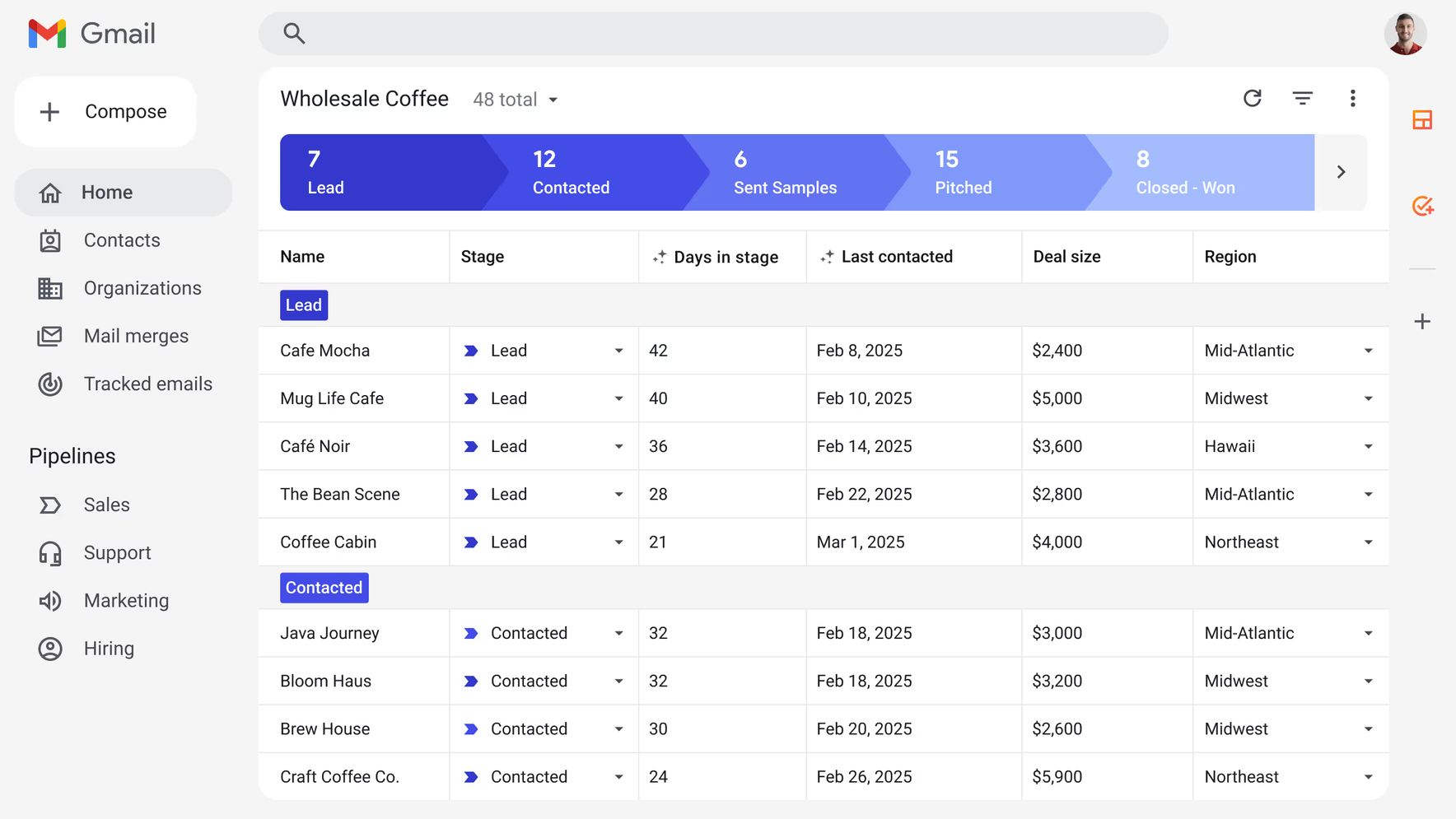
Most CRMs ask you to leave your inbox, open another tool, and manually update fields after every meaningful conversation. That sounds fine in theory, but in practice it is exactly why so many pipelines go stale.
Streak CRM takes a different approach. It lives inside Gmail, works directly where your conversations already happen, and layers in pipeline tracking, team visibility, automation, and AI without forcing you into a separate app. If your business runs on email, that difference is not cosmetic. It is the whole point.
What Streak CRM actually is
Streak is a CRM built for Gmail and Google Workspace. Instead of sending you to a standalone dashboard, it turns your inbox into the place where you manage deals, contacts, follow-ups, hiring pipelines, partnerships, and client communication.
It is especially well suited to people and teams like these:
- Solopreneurs and freelancers who manage client work through email
- Small sales teams that find traditional CRMs too heavy
- Agencies, consultants, and recruiters handling relationship-based workflows
- Operations teams managing partnerships, fundraising, or hiring through Gmail
- One practical note: the classic Streak experience is built around its Chrome extension for Gmail, so it is most naturally used on a desktop or laptop rather than as a mobile-first CRM.
Why Streak converts better than many “powerful” CRMs
The strongest reason to buy Streak is simple: your team is more likely to actually use it.
That sounds obvious, but it is where most CRM decisions go wrong. A lot of platforms are feature-rich and technically impressive, yet they still fail because they create more admin work than they remove. Streak’s advantage is that it cuts friction. You are already in Gmail. Your leads are already in Gmail. Your follow-ups are already in Gmail. So Streak puts the CRM there too.
That gives it a very different feel from more traditional CRMs. Instead of becoming another system you have to maintain, it feels more like a structured layer on top of the workflow you already have.
What makes Streak different
The first differentiator is the obvious one: it lives inside Gmail. That means less tab-switching, less duplicate data entry, and less resistance from teammates who do not want to learn a full new platform.
The second differentiator is shared visibility. Streak lets teams organize email conversations around deals or workflows, so everyone can see the relevant thread history and status without hunting through inboxes or piecing together spreadsheet updates. That is a major advantage for small teams where handoffs and follow-ups easily get messy.
The third differentiator is its AI layer, which is where the product gets especially interesting today. Streak now highlights features like AI Summaries, AI Q&A, and AI Autofill. In practical terms, that means it can summarize deal history, answer questions about a deal directly from Gmail, and help populate CRM fields without as much manual entry.
That last part matters because the biggest CRM problem is rarely “our tool lacks features.” It is usually “nobody keeps it updated.” Streak is clearly trying to solve that.
The Streak features most people will care about
If you are evaluating Streak as a buyer rather than just casually reading about it, these are the features that matter most.
- Pipelines inside Gmail. You can track deals, candidates, clients, partnerships, or any other workflow as a pipeline without leaving your inbox.
- Email tracking and follow-up support. Streak is built for managing conversations and making sure opportunities do not slip away just because someone forgot to circle back.
- Mail merge and outreach workflows. If part of your process involves outbound email, Streak supports sending personalized messages from Gmail while keeping that work tied to your pipeline.
- Magic Columns and workflow organization. Streak includes tools for automatically tracking pipeline activity and keeping fields current inside the Gmail workflow.
- AI Summaries, AI Q&A, and AI Autofill. These are among its most differentiated features today. Instead of treating AI like a marketing add-on, Streak places it directly in the inbox and deal workflow, where it can reduce the admin burden that makes CRMs frustrating in the first place.
Who should buy Streak
Streak is a strong buy if your business is email-first.
If you are a consultant, recruiter, freelancer, founder, or agency owner, there is a good chance most of your revenue-critical work already happens in conversations. New leads arrive by email. Clients reply by email. Candidates respond by email. Partners negotiate by email. In that kind of environment, a Gmail-native CRM makes a lot of sense.
It is also a good fit for smaller teams that have tried traditional CRMs and quietly abandoned them. If your team says things like “it takes too long to update,” “nobody checks it,” or “we just use our inbox anyway,” Streak is exactly the kind of tool worth testing.
Who should probably skip it
Streak is not the ideal CRM for every company.If you need a deeply customized, enterprise-scale operating system with extensive reporting layers, complex permissions, and workflows that extend far beyond inbox activity, you may be better served by a larger traditional CRM. Streak’s strength is that it is lighter and more practical. That also means it is less about becoming the center of a huge enterprise stack and more about making real work easier.
So I would frame it this way: Streak is best when Gmail is already the center of your workflow. If Gmail is not central, its biggest advantage matters less.
What the case studies say
The two case studies you mentioned help make the case in a more believable way because they focus on outcomes, not marketing language.
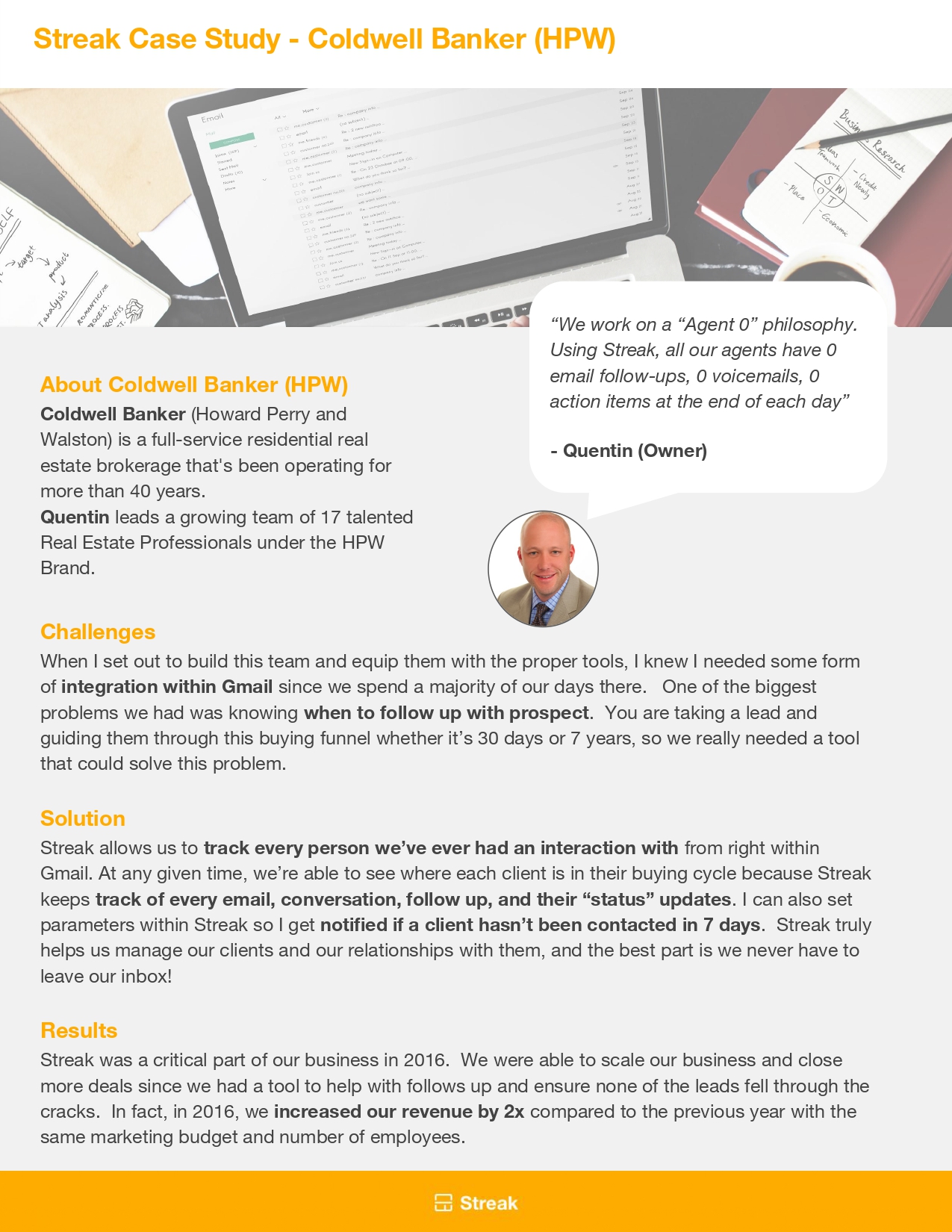
The Coldwell Banker (HPW) example shows Streak solving a classic pipeline problem: long buying cycles and inconsistent follow-up. The team used Streak inside Gmail to track interactions, monitor where clients were in the buying process, and trigger reminders so leads did not go cold. According to the case study, that system helped the business double revenue in 2016 without increasing marketing spend or headcount. That is exactly the kind of result people want from a CRM: not prettier dashboards, but better follow-up discipline and more revenue.
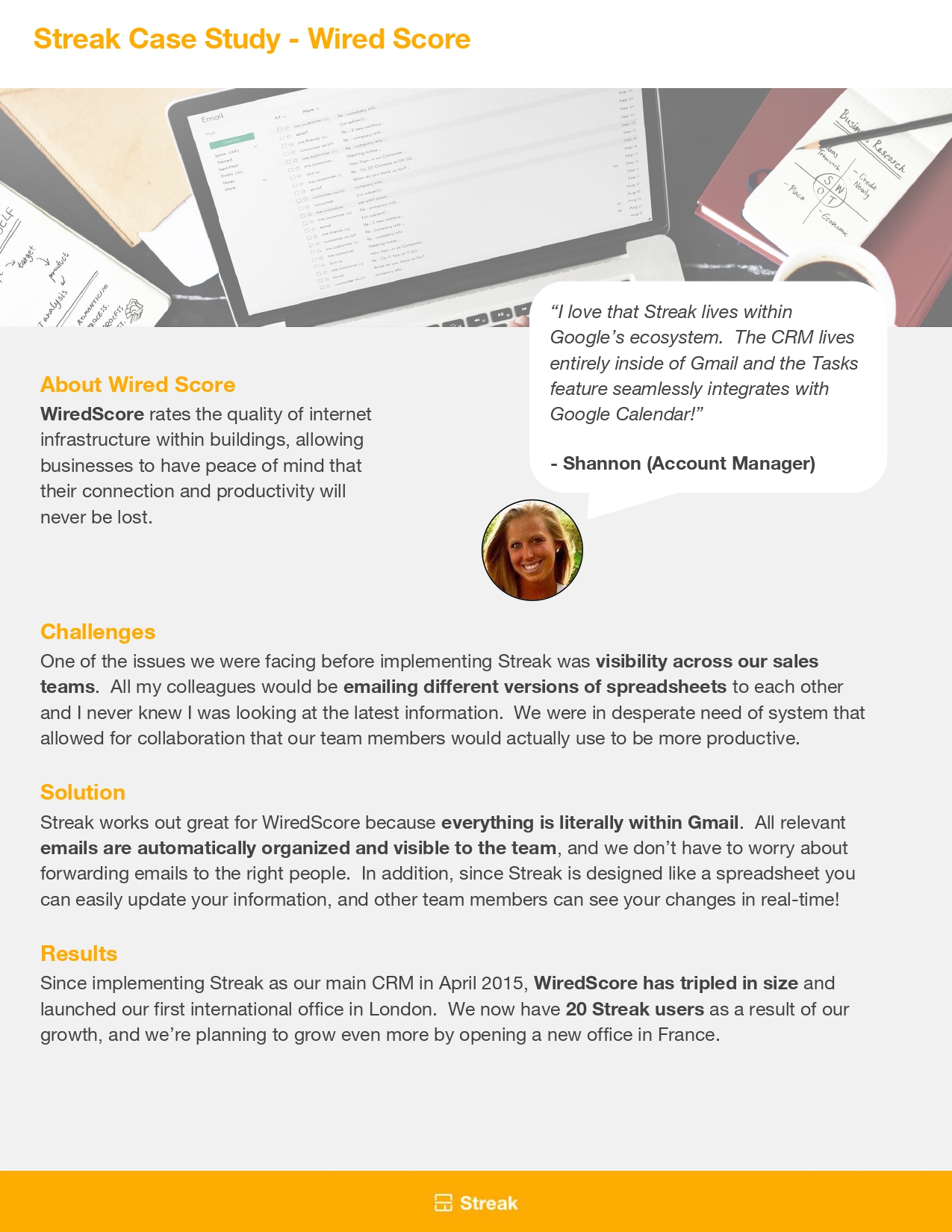
The WiredScore case study illustrates a different pain point: lack of team visibility. Before Streak, they were dealing with spreadsheet version issues and weak collaboration across sales activity. Streak gave them a shared, real-time system inside Gmail, and the case study says the company tripled in size, opened a London office, and expanded usage across the team after adoption. That is a compelling example of Streak as a coordination tool, not just a personal inbox add-on.
Those stories matter because they show the same underlying pattern. Streak works best when teams already live in Gmail and need a better way to turn conversations into a reliable process.
My honest verdict
If I were choosing a CRM for a small team that works in Gmail all day, Streak would be one of the first tools I’d seriously consider.
Its biggest strength is not that it tries to out-enterprise enterprise CRMs. Its biggest strength is that it removes the friction that causes most CRM setups to fail. It is built where people already work, it helps teams see the same conversations, and its AI features are aimed at the exact kind of admin work users typically avoid.
That combination makes it a very practical choice for businesses that want to stay organized without turning CRM upkeep into a second job.
Should you try it?
If any of this sounds familiar, the answer is probably yes:
- You manage most leads or clients through Gmail
- Your current CRM feels too heavy
- Your team avoids updating records
- Follow-ups slip because everything lives in inboxes and spreadsheets
- You want AI help with summaries and field updates rather than more manual typing
In that situation, Streak is not just another CRM to research. It is one of the few that is structurally aligned with how you already work.
Final takeaway
Streak is a strong option for people who want a CRM that feels native to Gmail instead of bolted on after the fact. Its Gmail-first design, shared visibility, flexible pipelines, and AI features give it a clear edge for solopreneurs, agencies, consultants, recruiters, and smaller teams who do most of their work through email.
If you want a CRM your team might actually keep updated, Streak is worth trying.